Skip to content
View in the app

A better way to browse. Learn more.

Cheers & Gears

A full-screen app on your home screen with push notifications, badges and more.

To install this app on iOS and iPadOS
  1. Tap the Share icon in Safari
  2. Scroll the menu and tap Add to Home Screen.
  3. Tap Add in the top-right corner.
To install this app on Android
  1. Tap the 3-dot menu (⋮) in the top-right corner of the browser.
  2. Tap Add to Home screen or Install app.
  3. Confirm by tapping Install.

JFitz03Malibu

Members
  • Joined

  • Last visited

Everything posted by JFitz03Malibu

  1. well i'm thinking just some dress up work... I'm just looking for a a few more horses nothing too major.... but something still noticable
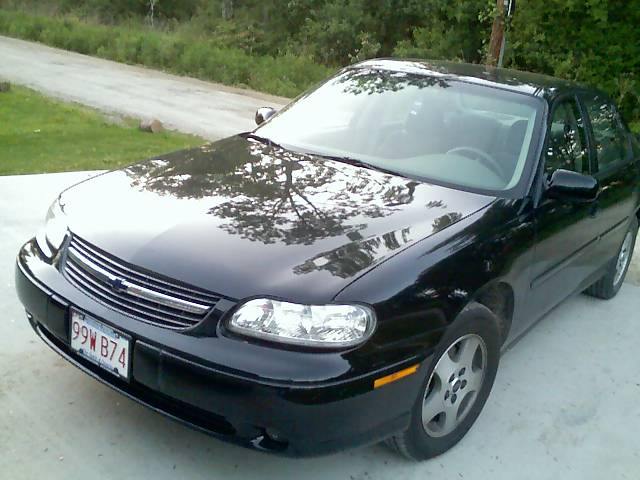
  2. This is my 2003 Chevy Malibu LS it has the 3100 LG8 V6... Its my first car and i really didn't know if i was going to like it at first, but then i drove it a little and i fell in love. It's LG8 pushes 170hp stock which isn't horrible for a car its size. The 3100lbs it wieghs is heavy but tolerable. I love the feel of stepping on the accelerator and i want to do some engine work now... suggestions would be great!
Account

Navigation

Search

Search

Configure browser push notifications

Chrome (Android)
  1. Tap the lock icon next to the address bar.
  2. Tap Permissions → Notifications.
  3. Adjust your preference.
Chrome (Desktop)
  1. Click the padlock icon in the address bar.
  2. Select Site settings.
  3. Find Notifications and adjust your preference.